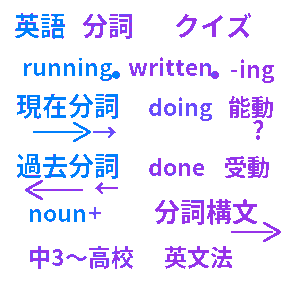
What is the English Participles Quiz?
The English Participles Quiz is a free, unofficial 4-choice web app for reviewing participles in short practice sessions.
It helps learners check the difference between present participles and past participles, the use of participle adjectives, noun-modifying participle phrases, and participial constructions.
All questions, choices, hints, diagrams, and short example sentences are originally created for this app. The quiz does not reproduce textbook passages, workbook questions, exam questions, or copied teaching materials.
For junior high third-year students and high school learners
Participles often feel difficult because they connect several ideas at once: word form, word order, active/passive meaning, and the noun or subject being described.
This quiz breaks those points into small questions, so learners can practice one judgment at a time and gradually move from basic forms to participial constructions.
Course lineup
- 10-question participle basics mix
- 20-question present participles
- 20-question past participles
- 20-question participle adjectives such as exciting / excited
- 20-question participles modifying nouns
- 20-question participial constructions basics
- 20-question advanced participial constructions
- 30-question meaning and word order mix
- 50-question writing-style grammar choices
- 100-question comprehensive review
Original hints and diagrams
Hints change according to the current question. They show the role of the participle, the noun it modifies, and the meaning relationship using simple original diagrams.
For example, learners can visually check whether a noun is doing the action, receiving the action, causing a feeling, or being described by a longer phrase after the noun.
My Page stores challenge history, best records, and often missed questions so learners can review weak points repeatedly.
What learners can practice on this site
This site is useful when a learner says, “I can recognize -ing and -ed, but I cannot decide which one to choose in a sentence.”
The questions ask learners to choose the natural word, rewrite a short relative clause, select the closest meaning, put words in order, and understand why a participial phrase belongs with the main subject.
Because each question is short, it can be used for a quick warm-up before class, a few minutes of review at home, or repeated practice before a grammar test.
For teachers and parents
The app is made as an independent grammar practice tool, not as a replacement for textbooks or official materials.
Teachers can use it as a light review activity, and parents can use it to help students notice whether they are making mistakes with active/passive meaning, -ing/-ed adjectives, or word order.
When a student makes a mistake, the hint screen can be used like a mini explanation: first find the noun or subject, then check whether it does the action, receives the action, or feels something.
非公式サイト・独自作成教材について
- 当サイトは、文部科学省・大学入試センター・学校・大学・出版社・予備校・試験実施団体等の公式サイトではありません。
- 当サイトは、各団体・各社から公認、認定、監修、提携を受けたサイトではありません。
- 掲載している問題は、教科書・参考書・問題集・共通テスト・入試問題・資格試験・検定試験・模試の転載ではありません。
- 問題・選択肢・解説・図表・文章素材は独自に作成しています。
- 各試験名・資格名・団体名・学校名等は、それぞれの権利者に帰属します。
- 正式な学習指導要領・入試情報・試験情報・教材情報は各公式サイトをご確認ください。
- 権利上の問題がある場合はお問い合わせください。 お問い合わせ(フォーム)


 URL copy
 Facebook
 Twitter